

Anchor: First MCP-Native Product
6 min read
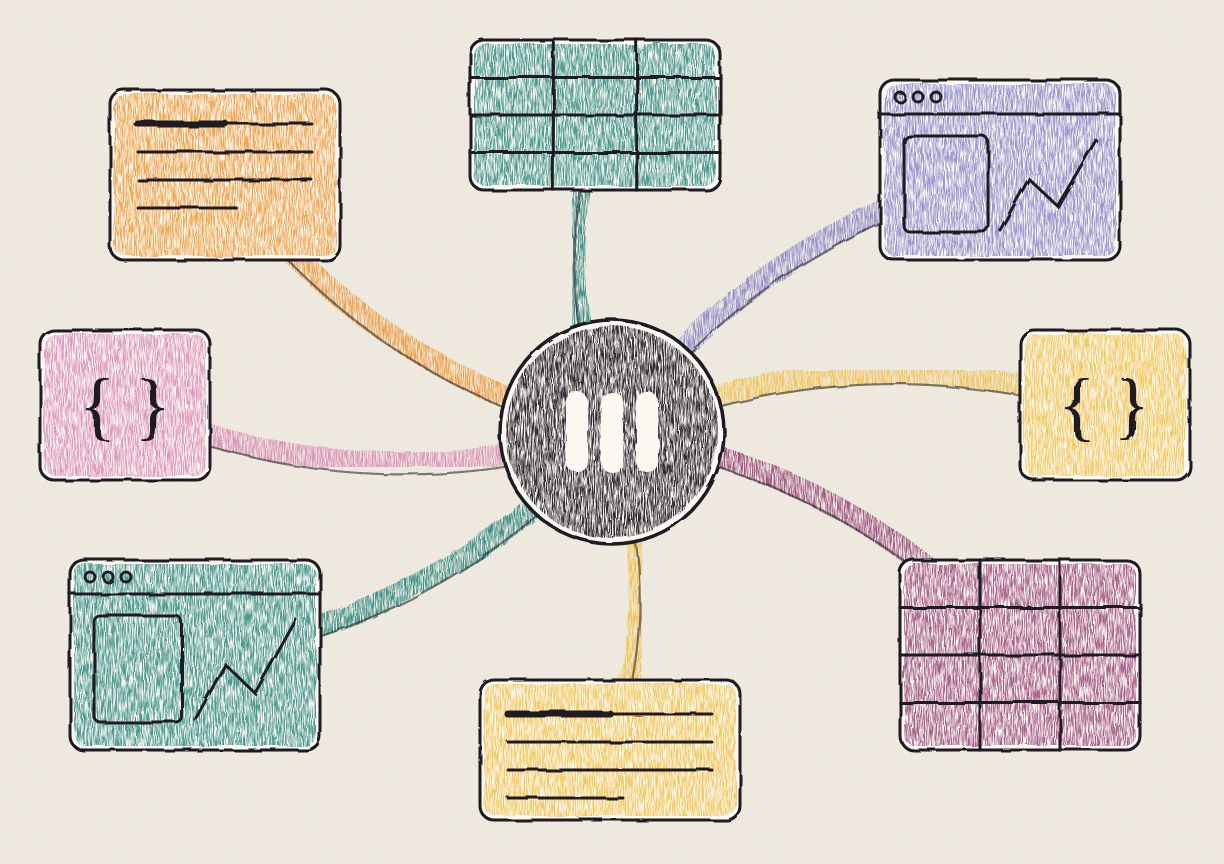
The Model Context Protocol, or MCP, is the open standard AI agents use to connect to other software. An agent that speaks MCP can read your files, query a database or file a ticket through a set of tools the app publishes. In about a year it went from a spec one lab put out to the way ChatGPT, Claude, Gemini, Copilot and Cursor all reach the outside world.
Nearly every app with an MCP server today was built around an editor first, and the server came later. We built Anchor the other way around. It was designed around MCP from the first commit, and as far as we know it's the first productivity suite built that way. Agents make things in Anchor over MCP, and people open what they made as live pages, apps and tables. Here's why we built it like that.
What is MCP, and where did it come from?
Anthropic released MCP on November 25, 2024. The problem it solved was plumbing. Every AI app that wanted to talk to Google Drive, Slack or a Postgres database needed its own integration, and every tool vendor had to build one for each AI app. MCP replaced all of that with one protocol. A tool publishes a server once, and any client that speaks MCP can use it. Anthropic called it a USB-C port for AI, and the comparison stuck.
The other labs picked it up fast. OpenAI adopted MCP in March 2025, starting with its Agents SDK. Google DeepMind said in April 2025 that Gemini would support it. At Build in May 2025, Microsoft announced MCP support in Windows 11. In October 2025, OpenAI launched apps in ChatGPT on an SDK built on MCP, so an app you open inside ChatGPT is an MCP server underneath.
By December 2025, a year after launch, MCP had more than 97 million monthly SDK downloads and more than 10,000 active servers, according to the MCP team. That same month Anthropic gave the protocol to the Agentic AI Foundation, a new fund under the Linux Foundation that it co-founded with Block and OpenAI, with Google, Microsoft and AWS among the backers. When the labs that compete hardest with each other share a protocol, you can build on it.
Which apps support MCP?
Most of the tools a team uses every day. Notion, Linear, Atlassian, Asana, Figma, Canva, Stripe, GitHub, Slack and Salesforce all ship MCP servers, and the connector directories in Claude and ChatGPT list hundreds more. Ask your agent to file a bug in Linear or pull last month's refunds from Stripe, and it does it without you opening either app.
Why were office tools built around the editor?
People like to see things. A dashboard you can filter says more than a table of numbers pasted into a memo, and a page with a chart you can hover over beats a screenshot of one. Teams explain things to each other with pictures, live demos and small tools, whenever they can get them.
For most of the history of office software, they couldn't get them. An interactive page or a small app needed a developer, and most people at work aren't developers. So the tools everyone uses, Word, PowerPoint, Google Docs and Notion, were built around the hard part, which was making things. Each one is an editor first: a blank page, a toolbar, and formats designed to make writing and laying out a document as easy as possible for a person with a mouse and a keyboard. What came out the other end was mostly static, because static was what a person could make in an afternoon.
Why are those apps hard for AI agents to work in?
An MCP server lets an agent into one of these apps, but the data inside is still shaped for the editor. Documents show this best.
Take a Google Doc. To an agent working through the Google Docs API, the document is a tree of structural elements, and every edit points at a character index. Insert a sentence near the top and every index below it moves. That's why Google's own best practices tell developers to sort each batch of edits by index, from the end of the document back to the start. To change one word, an agent has to read the structure, work out the offset, and hope nobody typed above it in the meantime.
Word is harder still. A .docx file is a zip of XML, and Word splits text into runs wherever the formatting changes (and sometimes where it doesn't). The phrase "quarterly revenue" can end up spread over three runs, so a plain find and replace misses it. Slides and spreadsheets have their own versions of this. A slide is a list of shapes placed by coordinates, and a spreadsheet is a grid of cells with formulas that point at other cells.
People never see any of it, because the editor hides it. That's what a good editor is for. An agent doesn't get the editor, though. It gets the file format and the API, and both were made for the editor.
What does MCP-native mean?
In an MCP-native product, the agent connected over MCP is the one that makes things. The file formats and the tools start from what an agent can write well, and the side people use is built for opening, sharing and talking about the result.
Look at where agents already work well: code. Claude Code, Codex and Cursor edit plain text files. They read a file, find the lines to change, and swap an old snippet for a new one. If the edit is wrong, they read the file again and fix it. Code is plain text, there's a huge amount of it in the training data, and a diff shows a person what changed. We think that's a big part of why agents got good at code before they got good at anything else.
We wanted the rest of office work to look like that.
How is Anchor built for MCP?
Everything in Anchor is a standard format that agents already know well:
- Documents are Markdown. A heading is
#, a list item is-, and there's no index to work out. - Pages and reports are HTML. Text, charts, tables and buttons in one file that opens in any browser.
- Apps are React. The agent writes an
index.tsx, plus afunctions.jsonthat lists the tables the app reads and writes, and Anchor builds and hosts it. - Tables are PostgreSQL. The agent reads and writes rows in plain SQL.
- Data and config files are JSON.
The MCP tools look like the ones coding agents already use. ls, mkdir, cp and mv behave the way they do in a terminal. write_file creates a file, or edits one by matching an old snippet and replacing it with a new one, the same kind of edit an agent makes in a codebase. query_table runs SQL. An agent that can edit code already knows how to work in Anchor, and it has no document model to learn.
Why is Anchor visual first?
The formats agents write best are also the most visual ones people have. HTML can hold a chart you hover over and a table you sort. React can hold a whole workflow, like an intake form that writes to a live table or a tracker the whole team updates. These are the things people always wanted to send each other and almost never could, because nobody had time to build them.
Now the agent builds them. You ask for a pipeline review and get a page with the numbers, the chart and a filter by region. You ask for a way to track hiring and get an app on top of a table. Making it took a prompt, so the rest of Anchor is about what happens next: seeing it, sharing it and changing it together. That's why we call Anchor visual first.
People and agents. Your agent writes a report into a folder. You open it, tell the agent what to change, and it edits the same file. The next day a different agent, maybe from a different lab, reads the folder and picks up where the first one stopped.
People and people. You share a link, and your team opens the live page. Nobody passes around screenshots or attachments, and when the agent updates the file, everyone sees the new version.
Is Anchor built for humans or for agents?
Both, with each one doing what it's good at. Word, Excel, PowerPoint, Google Docs and Notion are great editors (they had to be!), because for decades people did all the making themselves. Agents reach those tools later, through an MCP server or a sidebar, and have to work through formats designed for someone else.
Anchor splits the work differently. Agents make things over MCP, in formats they already read and write well. People get the part they always wanted: interactive pages, apps and tables they can look at, click through and share with their team. MCP is how every major agent now reaches other software, so we think MCP-native is the right way to build that, and visual first is what it makes possible for the people using it.